
Types of POS Terminals: Countertop, Mobile, Smart POS, and Virtual Terminals Explained
- Oscar Macias

- Apr 26
- 4 min read
Choosing the right point-of-sale (POS) terminal can make a big difference for local businesses. It affects how smoothly transactions go, how much you pay in fees, and how you serve your customers. I’ll walk you through the main types of POS terminals: countertop, mobile, smart POS, and virtual terminals. I’ll also share examples of products that fit these categories to help you decide what works best for your business.
Understanding Countertop POS Terminals
Countertop POS terminals are the classic setup you see at many stores. They sit on a counter and connect to a power source and the internet. These terminals handle card payments, print receipts, and often link to cash drawers and barcode scanners.
Key Features of Countertop Terminals
Fixed location, usually at checkout counters
Support for chip cards, magnetic stripe, and contactless payments
Often include a built-in receipt printer
Connect to other hardware like cash registers and barcode scanners
When to Use a Countertop Terminal
If your business has a fixed checkout area, like a retail store or restaurant, countertop terminals work well. They offer reliability and speed for busy checkout lines. They also tend to have lower processing fees compared to some mobile options.
Example: Horizon Payment Solutions Countertop Terminal
One example is the Horizon Payment Solutions Countertop Terminal. It offers fast processing with no credit card processing fees, helping businesses keep more of their revenue. It supports all major card types and integrates easily with existing hardware.
Mobile POS Terminals for On-the-Go Payments
Mobile POS terminals are small, portable devices that connect to smartphones or tablets. They let you accept payments anywhere, making them ideal for businesses that move around or sell outside a fixed location.
Key Features of Mobile POS Terminals
Compact and lightweight
Connect via Bluetooth or headphone jack to a mobile device
Accept chip cards, contactless payments, and sometimes cash
Often include apps for inventory and sales tracking
When to Use a Mobile Terminal
If you run a food truck, market stall, or provide services at customer locations, mobile terminals give you flexibility. They let you accept payments on the spot without needing a full checkout setup.
Example: Horizon Payment Solutions Mobile Terminal
The Horizon Payment Solutions Mobile Terminal offers secure, fast transactions with no upfront costs. It helps businesses reduce processing fees while staying flexible and mobile.

Mobile POS terminal connected to smartphone for flexible payments
Smart POS Terminals Combine Hardware and Software
Smart POS terminals are all-in-one devices that combine payment processing with business management tools. They run on operating systems like Android and offer apps for inventory, customer management, and reporting.
Key Features of Smart POS Terminals
Touchscreen interface with apps
Accept all payment types including NFC and QR codes
Built-in receipt printers and barcode scanners
Cloud-based data syncing and reporting
When to Use a Smart POS Terminal
Smart POS terminals suit businesses that want more than just payment processing. They help manage sales, track inventory, and improve customer service from one device. Restaurants, retail stores, and salons often benefit from these systems.
Example: Horizon Payment Solutions Smart POS Terminal
The Horizon Payment Solutions Smart POS Terminal offers a user-friendly touchscreen and integrated business tools. It eliminates credit card processing fees, helping businesses improve profit margins without extra costs.
Virtual Terminals for Remote Payments
Virtual terminals let you accept payments without physical hardware. You enter card details manually on a secure website or app. This option works well for phone orders, mail orders, or businesses without a physical location.
Key Features of Virtual Terminals
No hardware needed, just internet access
Manual entry of card information
Secure payment processing
Useful for remote or phone sales
When to Use a Virtual Terminal
If your business takes orders by phone or online but doesn’t need a physical terminal, virtual terminals are a good fit. They help you accept payments securely without investing in hardware.
Comparing the Types of POS Terminals
| Feature | Countertop Terminal | Mobile Terminal | Smart POS Terminal | Virtual Terminal |
|-----------------------|------------------------------------|-----------------------------------|----------------------------------|----------------------------------|
| Location | Fixed checkout counter | Portable, mobile | Fixed or portable | No hardware, online only |
| Payment Types | Chip, swipe, contactless | Chip, contactless | Chip, contactless, QR codes | Manual card entry |
| Additional Features | Receipt printing, cash drawer | Mobile app integration | Business management apps | Secure online processing |
| Best For | Retail stores, restaurants | Food trucks, market stalls | Businesses needing all-in-one | Phone orders, remote sales |
| Processing Fees | Generally low | Can be higher | Moderate | Varies, often per transaction |
How Choosing the Right POS Terminal Saves Money
Choosing the right terminal can reduce your credit card processing fees. For example, Horizon Payment Solutions offers terminals that eliminate these fees, helping you keep more of your sales revenue. This can improve your profit margins and support business growth without upfront costs or compliance worries.
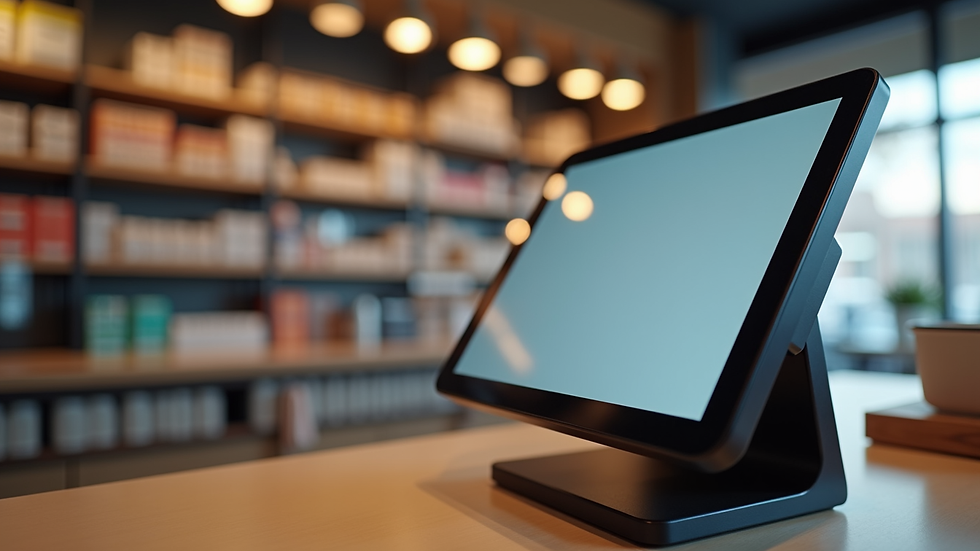
Smart POS terminal with touchscreen for managing sales and inventory
Final Thoughts on POS Terminals
Each type of POS terminal serves a different business need. Countertop terminals work well for fixed locations. Mobile terminals offer flexibility for on-the-go sales. Smart POS terminals combine payments with business tools. Virtual terminals handle remote payments without hardware.
Look at your business setup and sales process. Consider how you want to accept payments and what features you need. Products like the Horizon Payment Solutions Countertop Terminal, Mobile Terminal, and Smart POS Terminal provide options that can reduce fees and support your growth.
Choosing the right POS terminal is a step toward smoother transactions and better profits. Take time to compare features and costs. The right choice will help you serve customers better and keep more of your hard-earned money.


Comments